LEAP
Runs a law firm’s matters, time and trust account. We join it to Xero, HubSpot and your website.
Websites, client logins and reports for law firms, accountants, consultants and engineers. Built around LEAP, Xero or whatever you already run, so each client is entered once and everyone sees the same file.

Most firms run three things: software for matters or jobs, Xero or MYOB for the books, and a place the documents live. The gaps are between them: the client typed in twice, time recorded in one place and billed from another, the partners’ figures put together by hand each month.
Runs a law firm’s matters, time and trust account. We join it to Xero, HubSpot and your website.
Cloud law-firm software: matters, documents, time and billing. We add what sits around them: website enquiry, client login, partner report.
Run an accounting firm’s jobs, due dates and time. We add a client login and reports that include Xero.
Proposals and engagement letters clients sign online, fees billed on schedule. When one is signed, we open the job automatically.
Your books: invoices, payments, payroll, BAS. They know the money on a matter, not the time. We join the two.
Your customer list (CRM): contacts, deals, web forms, email. When a lead becomes a client, we pass them on automatically.
Where documents live and get signed. We file each signed document against its matter, with no hand step.
Budgets, unbilled work, the partner report: keyed from different exports, so figures disagree. We replace it with one live report.
We don’t sell any of this software. We connect to what you already use.
A site for your firm: a page per service, per person and per office, plus articles you publish yourself. Enquiries go to the right person and into your customer list.
See our websitesA login for your clients. Each sees only their own matter: where it’s up to, documents to sign or upload, invoices to pay. Read from LEAP, XPM and Xero.
See business appsFixed-fee work sold online: a will, a conveyancing quote, a company registration or a tax return. Priced from the client’s answers, paid at checkout, the matter opened on payment.
See online storesThe numbers partners ask for: unbilled work, who owes what, fees by person, profit by matter. Drawn from your firm’s software and Xero, not a spreadsheet rebuilt each month.
See reports and dashboardsNo more retyping. Web enquiries land in HubSpot. A signed engagement letter opens the matter, adds the client to Xero and files itself. Time recorded becomes the invoice.
See how we connect your softwareNot sure which? Call 1300 699 321 — ten minutes will tell you.
Northgate & Vale is a site for a small commercial law firm, written for the business owner reading it. Services found at a glance, a plain page on how the firm works and charges, and the first conversation set out step by step.
One of 100 example websites we designed and built from a blank page.
See the example site →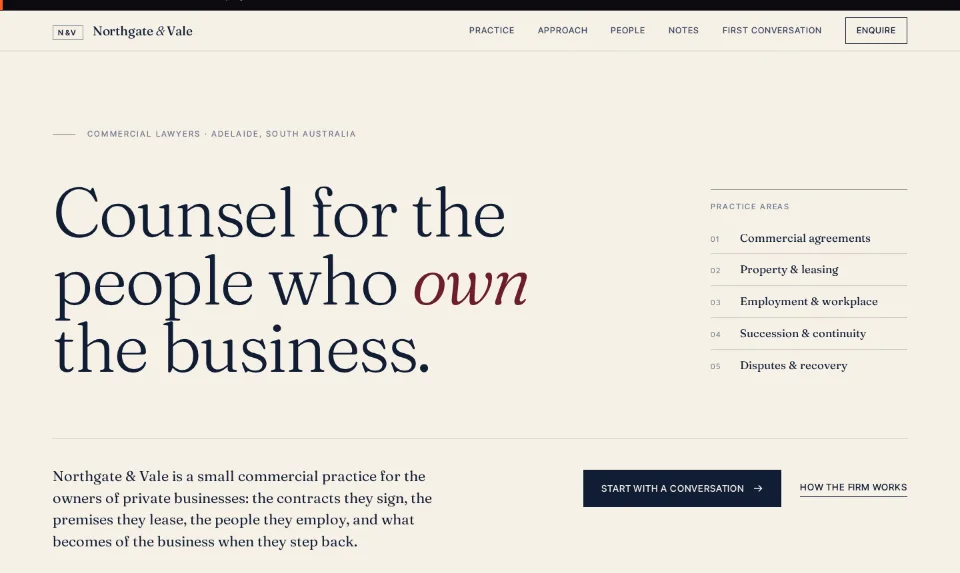
One fixed price, agreed in writing before we start, paid in five stages. The price depends on how many screens you need and how many of your systems it must talk to, not how many partners you have.
No. Keep them. We build beside them and connect them, so staff keep the software they know and stop entering each client twice.
Yes. Each client gets a login showing only their own matter: its stage, documents to sign or upload, invoices owing. It reads from your existing software, so nothing is kept twice and the office stops fielding progress calls.
You do. The code is yours at go-live, whichever software or IT provider sits beside it later. Client data stays where it is now: matters in your matter software, money in Xero, documents in SharePoint or NetDocuments.
Yes. Adelaide first, Australia-wide. Planning and reviews run over calls and screen-shares, and a client login works the same in any office. Call 1300 699 321, Mon–Fri 9–5, Adelaide time.
Call us, or answer a few short questions. We reply within one business day with a fixed price in writing.
Mon–Fri 9–5, Adelaide time · we reply within one business day